
An Image to Prompt Generator is an AI vision tool that analyzes visual features in a photo—such as subject, art medium, lighting, color harmony, and camera angle—and translates them into a descriptive text prompt that can recreate similar images in AI generators.
Free Image to Prompt Generator Online (Unlimited)
Generate ready-to-use prompts from images. Try our image to prompt AI to create detailed image descriptions for Stable Diffusion, Flux, and other AI models.
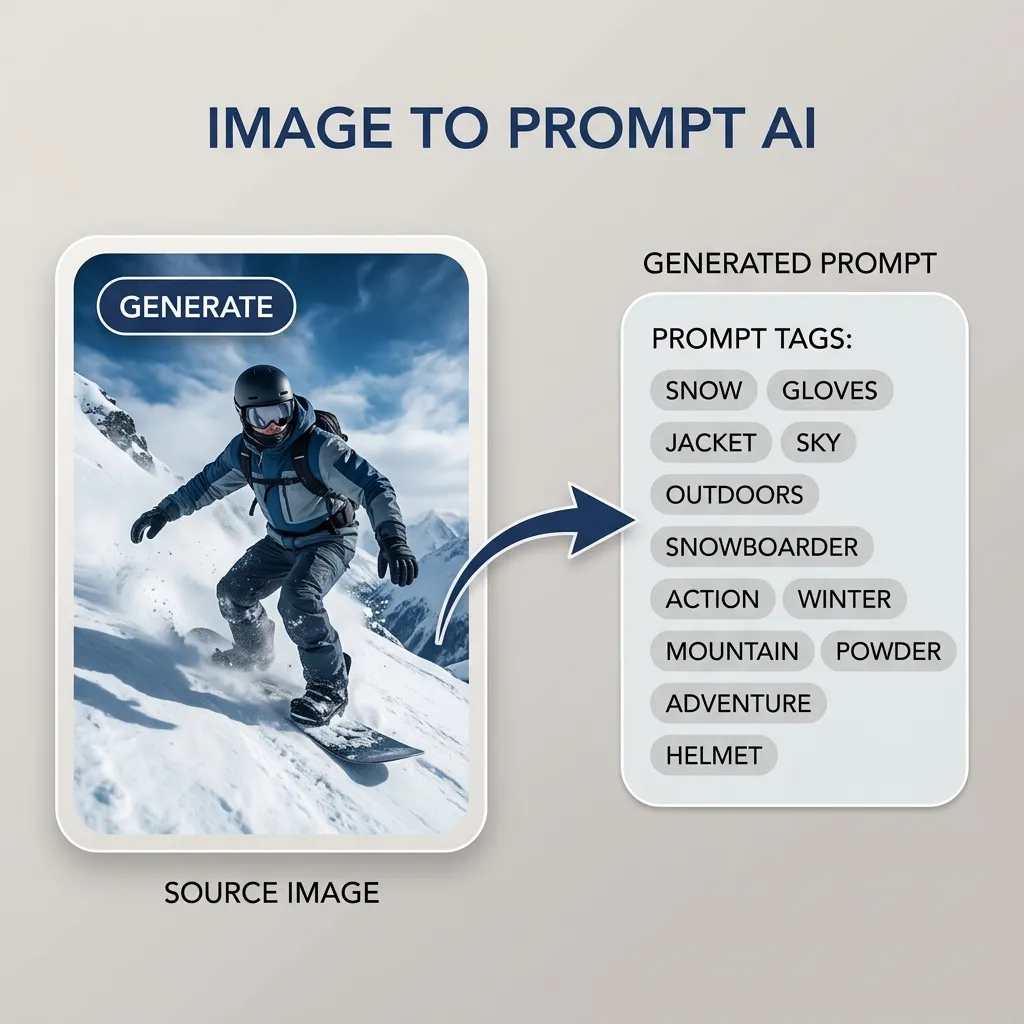
Image To Prompt
Free AI Image to Prompt Generator Online
Reverse engineer any visual masterpiece in seconds. Upload an artwork, photo, or render, and our AI instantly breaks down its style, composition, lighting, and subject into ready-to-use prompts optimized for Midjourney, Flux, and Stable Diffusion.
Extract Prompt from Image >>
Precision Extraction
Faithful Style & Detail Recognition Across Genres
From cinematic realism and 3D character renders to anime and cyberpunk aesthetics, decode the exact visual DNA of any image.

Cinematic Movie Poster
Generated Prompt: Movie poster, close-up portrait of a fierce warrior with piercing blue eyes, braided beard and war paint, dramatic rim lighting, black raven perched on shoulder, weathered atmospheric background, 8k cinematic texture.

Cyberpunk & Sci-Fi
Generated Prompt: Cyberpunk aesthetic, 1girl profile view, glowing holographic visor, short white hair, neon cyan and magenta backlighting, high-tech bodysuit, dark atmospheric reflections, octane render.

Stylized 3D Fantasy
Generated Prompt: 3D fantasy character, hooded reaper in flowing crimson robe with neon glowing trim, standing on bioluminescent rocks over misty water, holding a futuristic glowing scythe, volumetric fog, Unreal Engine 5.

Photorealistic Portrait
Generated Prompt: Natural street photography, young Asian woman in traditional yellow silk Ao Dai dress holding white blossom bouquet, vintage bicycle laden with spring flowers, soft golden hour sunlight, 35mm lens.
Unlock the Secrets Behind Inspiring AI Artworks
Found a stunning AI image on Twitter, Reddit, or Discord but the author didn’t share the prompt? Upload it to Revid AI Image to Prompt converter. Within 3 seconds, our vision-language model reverse engineers the artist’s visual vocabulary, camera settings, and aesthetic tags so you can create your own variations effortlessly.
Deconstruct Any Image Now
Model Optimization
Customized Prompt Syntax for Top AI Generation Engines
Different text-to-image models respond to distinct prompting styles. Our tool formats output syntax specifically for your target diffusion engine.

Tailored for Flux.1
Flux Format: Natural language structured descriptions detailing composition, directional lighting, subject interaction, and physical material properties without tag clutter.

Tailored for Stable Diffusion & Midjourney
SD / Midjourney Format: Comma-separated weighted tokens, artist styles, medium specifications, camera lenses, and render parameters like `--ar 16:9 --v 6.1`.
Remix, Refine, and Elevate Extracted Prompts
Extracting the prompt is only the starting point. Use our prompt editor to tweak subject attire, shift color palettes from warm daylight to moody night, or inject surrealist elements to craft completely original art.
Remix Prompts with AI
Select Specific Content Modes for Precise Output
Focus your prompt on what matters most. Choose specialized modes such as "Character Focus", "Landscape & Environment", "Macro Photography", or "Abstract Concept" to extract deep details tailored to your creative intent.
Try Content Mode Options
Key Features
Advanced Prompt Engineering Capabilities
Equipped with state-of-the-art vision-language AI for superior accuracy.
Multi-Model Compatibility
Generates formatted prompts for Flux, Midjourney v6, Stable Diffusion XL, and DALL-E 3.
Customizable Output Detail
Choose between concise summaries or exhaustive multi-paragraph prompt descriptions.
Multilingual Prompting
Extract prompts directly in English, Japanese, Chinese, Spanish, German, and French.
Sub-Second Processing
Get comprehensive prompt breakdowns in under 3 seconds with GPU-accelerated vision models.
How It Works
Convert Any Image into Prompts in 3 Quick Steps
Fast, accurate, and completely online—no installation or account needed.
1. Upload Image or Paste URL
Drag and drop your JPG, PNG, or WEBP file, or paste an image link into the workspace.
2. Select Model & Preferences
Pick your destination AI model (Flux, Midjourney, SD) and adjust prompt length or style focus.
3. Copy & Generate
Click Generate, copy the ready prompt with one click, and paste it directly into your AI image tool.
FAQ
Frequently Asked Questions About Image to Prompt
Everything you need to know about reverse prompt generation and AI art replication.