
Frame to video is a groundbreaking AI video generator that allows you to customize your AI video by uploading two frames—the first and last frame. With just a few simple prompts, frame to video seamlessly connects the two frames, creating a smooth and natural transition.
Free Frame to Video AI Online
Simply upload the first and last frames to create an astonishing video.

Frame To Video
Select a Model
Select your photo ratio
2:3
3:2
1:1
Upload your photos
Drop the first frame here or click to upload
Drop the last frame here or click to upload
Enter prompt to describe the video
0 / 1500
Settings of the video
Convert Two Frames to Video Online
Our frame to video generator is the latest AI video generator. Simply upload your first frame and last frame, and it turns static photos into striking AI videos in seconds!
Get Started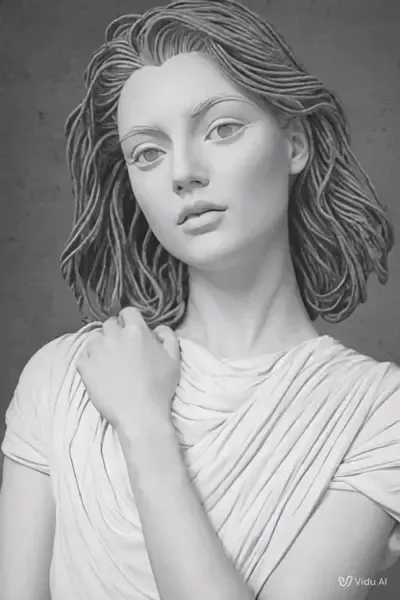
Create Smooth AI Videos with Just Two Frames
Can you imagine generating striking AI videos without complex prompts, simply by uploading two frames? Just upload the first and last frame, and you're done! Our frame to video AI generator is a groundbreaking tool that uses advanced algorithms to perfectly blend your frames into striking, seamless videos. With buttery-smooth transitions and no lag, it’s the ultimate game-changer for AI video creation!
Try it now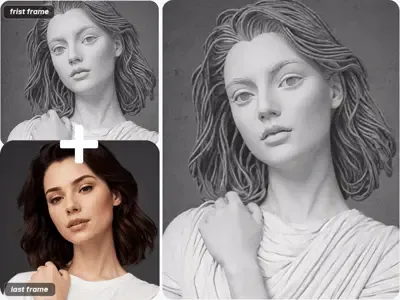
From Realistic to Anime with Frame to Video AI
Our frame to video AI generator instantly transforms realistic scenes into beautiful anime style artwork. All you need to do is upload two frames—one for realistic style and the other for anime style. Our frame to video AI video generator intelligently recognizes these two distinct styles and seamlessly blends them together, creating a natural and harmonious result. Whether it's a clash between realistic and anime styles or a fusion of multiple styles, this AI video generator can effortlessly switch between them, giving your creativity the freedom to soar.
Try it now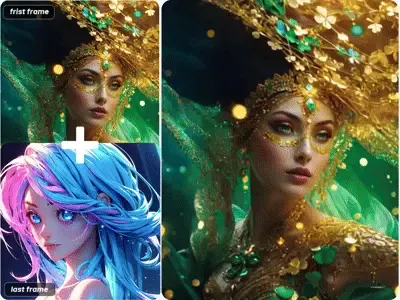
Customize Your AI Video with Simple Prompts
In addition to uploading two frames for AI video creation, you can also craft a truly unique AI video by providing a few prompts. This becomes especially useful when your two frames have completely different styles or appear unrelated. Simply describe your vision in a few words—let our frame to video generator know how you’d like the first frame to transition seamlessly into the last. The AI video generator will intelligently interpret your input and generate a video that matches your creative intent. It’s the perfect way to create highly personalized videos. Start your creative journey today with just a simple prompt.
Try it now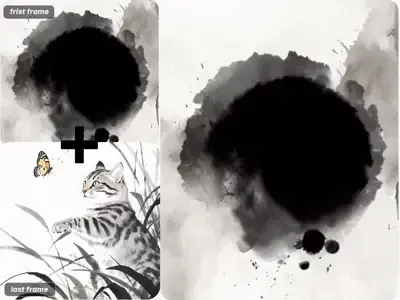
How it works
How Does Our Frame to Video AI Generator Work?
Just three simple steps. Even if you're new to AI video generator, you can easily master our frame to video AI generator in no time.
1
STEP 1: Upload two frames
Upload two high-resolution images as the first frame and last frame for your AI video.
2
STEP 2: Write prompts
Type in a few simple prompts to describe the style and effect of your AI video.
3
STEP 3: Get instant result
Adjust your video settings, click generate, and simply wait for your video to be ready.
Start Creating with Frame to Video Today!
Transform your first and last frames into stunning, seamless AI videos in seconds!
FAQs
Questions about Frame to Video Generator?
Check out these FAQs you might be interested in. For any other questions about frame to video generator, don’t hesitate to reach out to us.